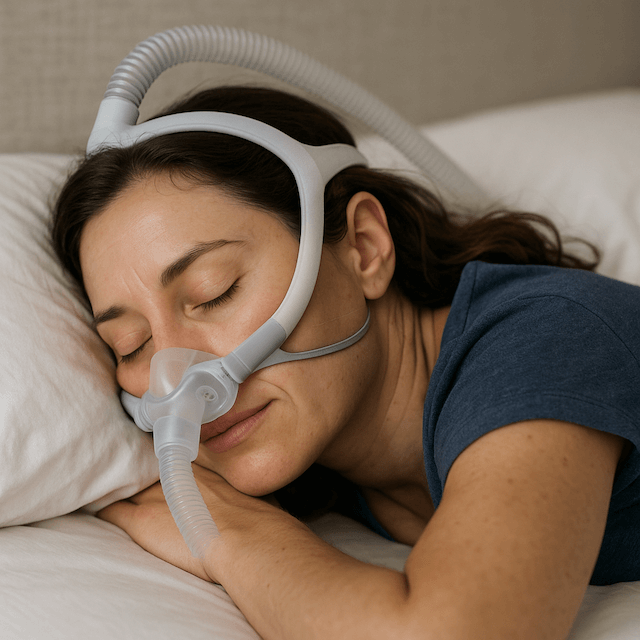
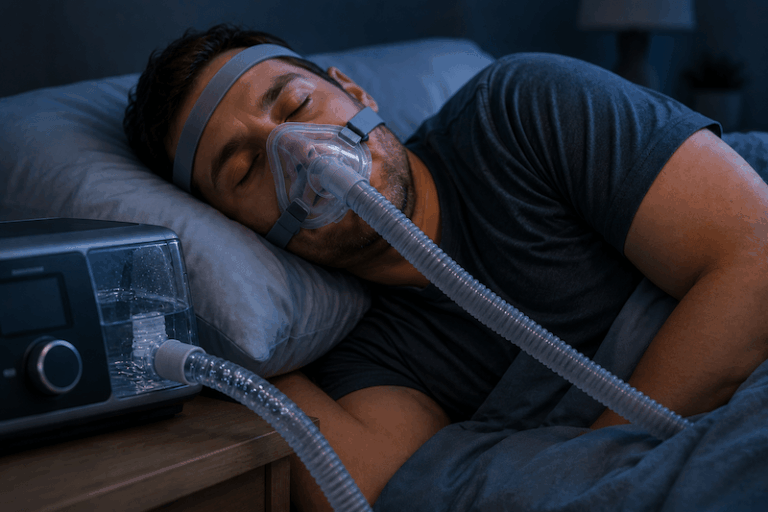
OSCAR CPAP Software to Read Your Sleep Data

Most CPAP users meet their sleep data through a small app on their phone. ResMed customers get myAir. Philips users get DreamMapper. Each morning, the app shows a usage total, a leak indicator, a single number for breathing events, and some kind of score if the night went well. For a lot of people, that is enough, and there is nothing wrong with stopping there.
I have used a ResMed AirSense 10 AutoSet for more than a decade, and I check myAir most mornings. But there are nights when the app’s summary score does not match how the night actually felt, or when a single number for “events per hour” leaves me wanting to know what actually happened at 3 a.m. That gap is what OSCAR is for.
What OSCAR Actually Is
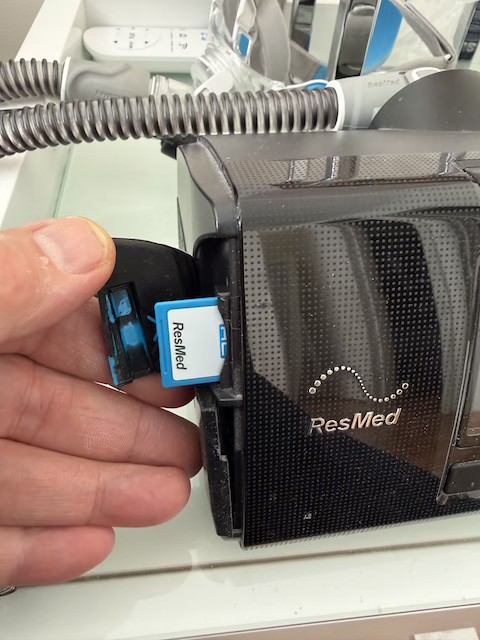
OSCAR stands for Open Source CPAP Analysis Reporter. It is free, community-maintained software that reads the raw data your CPAP machine already records onto its SD card, the same data your manufacturer’s app summarizes into a daily score, except OSCAR shows you all of it: night-by-night graphs of pressure, leak rate, flow limitation, and every recorded breathing event, broken down by type rather than folded into one number.
It is not made by ResMed, Philips, or any other manufacturer. It is built and maintained by a community of CPAP users and developers connected to the Apnea Board forum, and it is downloaded directly from the project’s official page rather than an app store. There is no account to create, no subscription, and no premium tier. You download it, install it like any other desktop program, and your data stays on your own computer.
OSCAR is not for everyone, and I do not think every CPAP user needs it. If you sleep well, use your machine every night, and your myAir score is consistently high, the app is probably telling you everything you need to know. OSCAR is for the times the summary number is not the whole story: an AHI that jumps around night to night for no obvious reason, a pressure setting you are curious about, or simply wanting to understand what your own machine is actually doing while you sleep.
What You Need to Get Started
Getting your data into OSCAR takes three things: a computer (Windows, Mac, or Linux all work), a way to read your machine’s SD card, and the OSCAR software itself.
Most CPAP machines, including my AirSense 10, store nightly data on a small SD card tucked into the side or base of the unit. If your computer does not have a built in SD card slot, a small USB card reader handles it, and they are inexpensive and widely available. Check your specific machine’s manual for exactly where the card sits, since the location varies between manufacturers and models.
Once you have a reader, the process is straightforward. Power down your machine, remove the SD card, and insert it into your computer’s reader. Open OSCAR, and on first launch it will ask you to set up a local profile, which just tells the software which machine you are using so it interprets the data correctly. From there, OSCAR’s import function will detect the connected card and pull in every night it finds. When the import finishes, put the card back in your machine so it keeps recording future nights.
If the import comes back empty or looks wrong the first time, it is rarely a sign anything is broken. The most common causes are a card reader that was not fully seated, a machine model OSCAR does not yet fully support, or simply importing before the machine has finished writing that night’s data to the card. Reseating the card and trying again solves most of these on the first attempt. OSCAR supports a wide range of machines from ResMed, Philips Respironics, and several other manufacturers, but coverage and detail vary by brand, so it is worth checking the project’s documentation for your specific model before assuming something is wrong on your end.
Making Sense of What You See
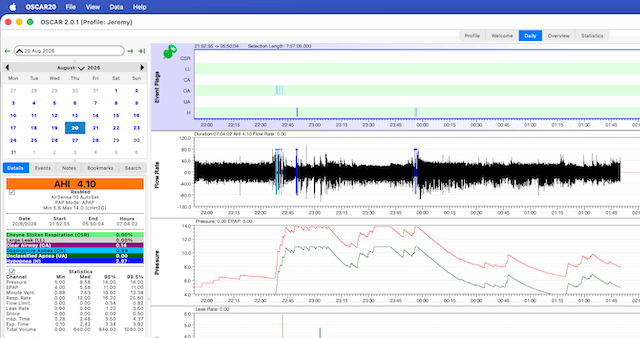
The first time OSCAR opens with a full night loaded, it can feel like a lot. Where myAir gives you a single AHI number and a leak icon, OSCAR shows a full timeline: pressure over the course of the night, leak rate as a moving line rather than a yes or no, and every recorded event plotted at the moment it happened rather than folded into a total.
A few numbers are worth understanding before you go looking at your own nights, and I go into these in more depth in my guide to interpreting CPAP data. Briefly, though:
Your AHI, or apnea hypopnea index, is the total count of breathing events per hour, but OSCAR breaks it into categories: obstructive apnea, hypopnea, and clear airway or central events. Which category is driving your number matters more than the total alone, since they point toward different causes.
Your pressure statistics show a minimum, median, and percentile breakdown, typically the 95th and 99.5th percentile. If you are on an auto-adjusting machine like an AutoSet, watching where your pressure actually sits most of the night, and whether it is bumping against your set ceiling, is one of the more useful things OSCAR can show you that a daily app score cannot.
Leak rate matters because a poor mask seal can distort almost every other number on the page. If your leak numbers are elevated, it is worth ruling that out before drawing conclusions from anything else. I run a full face mask, since I am a chronic mouth breather and nasal masks were never a viable option for me, and I keep half an eye on my leak line for exactly this reason.
A handful of other channels round out the picture. Flow limitation flags moments where air is not moving as freely as it should, even without a full event being recorded, and can be an early hint of the same airway narrowing that drives obstructive events. Snore is tracked as its own line, separate from the breathing events themselves. Minute ventilation and tidal volume describe how much air you are actually moving each breath and each minute, which is more useful for spotting unusual patterns over time than for interpreting on its own. None of these need to be memorized to get value out of OSCAR. Understanding what the AHI breakdown, pressure percentiles, and leak rate are telling you covers most of what a first-time user needs.
What My Own Data Looks Like
To make this concrete, here is what two of my own nights actually showed. I run a ResMed AirSense 10 AutoSet on an APAP setting, with my pressure range set between 5.6 and 14.0 cmH2O. It is the same machine I have used through more than a decade of therapy, a stretch of my life I have written about in more detail on my living with sleep apnea page.
On one recent night, my AHI came in at 4.10, made up mostly of hypopnea events, with a small number of obstructive apnea events and next to none of the clear-airway type.
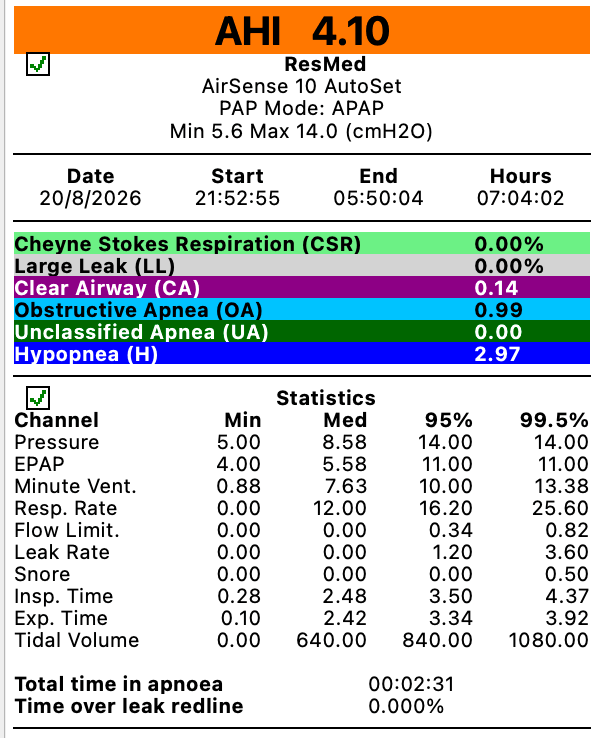
According to the Sleep Foundation’s overview of AHI scoring, an AHI under 5 is generally considered within the normal range, so on paper this was a good night. Leak rate was low and steady all night.
A few nights earlier, on a different night on the same machine and the same settings came in at an AHI of 12.59, roughly three times higher.
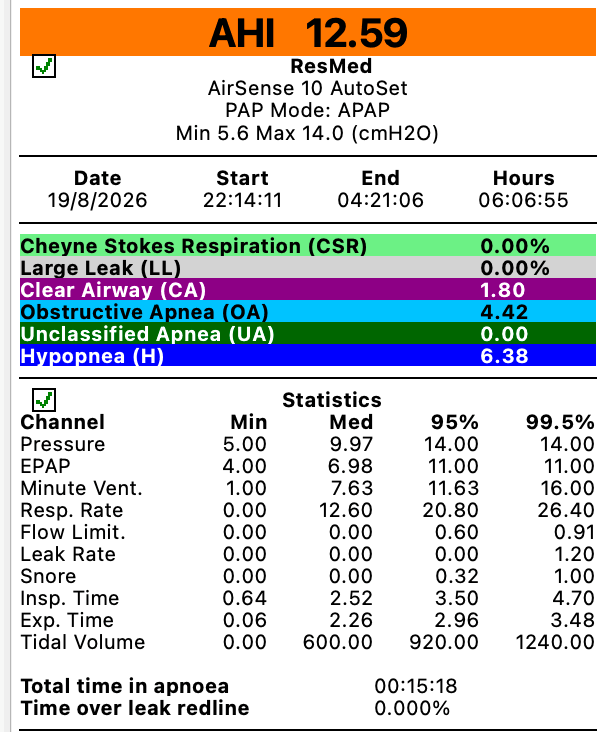
Every event category increased compared to the good night; obstructive apnea, hypopnea, and the small clear airway count all rose together. Leak was actually slightly lower on this worse night, which ruled out a mask seal problem as the explanation. Something about the night itself changed the outcome, not the equipment.
What both nights had in common, and this is the detail I would have missed without OSCAR, is that my 95th percentile pressure sat right at my ceiling of 14.0 on both the good night and the bad one. My machine was regularly asking for more pressure than I have currently allowed it to give. That is a genuinely useful thing to know, and it is exactly the kind of pattern a single daily score would never surface. It is also exactly the kind of finding that belongs in a conversation with a sleep doctor rather than a decision I make on my own kitchen table. I go into how these settings work, and why a ceiling exists in the first place, on my CPAP pressure settings page. Adjusting a pressure ceiling is a prescription-level change, and I am bringing this pattern to my next appointment rather than adjusting it myself.
I would also gently warn against reading too much into a single elevated number in any one event category. It is tempting to see a count go up between two nights and reach for the most serious sounding explanation. In my experience, small shifts in less common event types are more often ordinary night to night variation, differences in sleep position, congestion, or simply how the night went, rather than a sign of a new or emerging problem. Consistent patterns across many nights are far more meaningful than any single night in isolation, and that goes for every number OSCAR shows, not just the alarming looking ones.
What OSCAR Cannot Tell You
I want to be clear about something OSCAR is genuinely good at and something it is not. It is excellent at showing you what your machine recorded. It is not a diagnostic tool, and it does not replace a sleep study, a titration, or your doctor’s judgment. I have a background that makes me comfortable digging through data and graphs, but I am a CPAP patient, not a clinician, and I read my own charts with that limitation firmly in mind.
If something in your data looks concerning- a sustained high AHI, a leak rate that will not come down, or a pattern that repeats night after night rather than showing up once, that is worth bringing to your doctor along with the OSCAR screenshots, not something to try to resolve by changing your own pressure settings. For general background on sleep apnea diagnosis and severity, the American Academy of Sleep Medicine is a reliable starting point, and it is worth reading alongside anything you see in your own data rather than in place of it.
Is OSCAR Worth Trying
If you have used CPAP for a while and the daily score from your manufacturer’s app has started to feel like it is not telling you the whole story, OSCAR is worth an evening of your time. The setup is simple, it costs nothing, and worst case you learn that your therapy is working exactly as well as your app already told you. Best case, like my own pressure ceiling question, you find something specific and useful to bring to your next doctor’s appointment instead of a vague sense that something might be off.
It is not a tool everyone needs, and it is not a replacement for anything your doctor does. But for a patient who wants to understand their own therapy in more depth than a daily score allows, it is one of the more useful things I have added to my own routine in more than a decade of using CPAP.
⚠️ MEDICAL DISCLAIMER This blog provides general information only and is not a substitute for professional medical advice, diagnosis, or treatment. Sleep apnea is a serious condition, and CPAP equipment should be used under proper medical supervision. Always consult your doctor or sleep specialist before starting, stopping, or changing any therapy. I share personal experiences as a CPAP user, not as a medical professional. Individual results vary. For medical guidance, please consult a qualified clinician or the American Academy of Sleep Medicine (aasm.org).